
Hey everyone 👋
I'm honestly not sure how active this forum still is, maybe the true fans are here 🙂
I built a little macOS menu-bar app, Genmaster, and figured I'd share it in case it makes someone else's day a bit smoother too. It's free, a hobby project, and came straight out of using this gear every day.
It works with SAM-series studio monitors connected through the GLM adapter (GLM Adapter 8300-416). And it's macOS only (Sonoma 14 or newer, Apple Silicon).
What it does
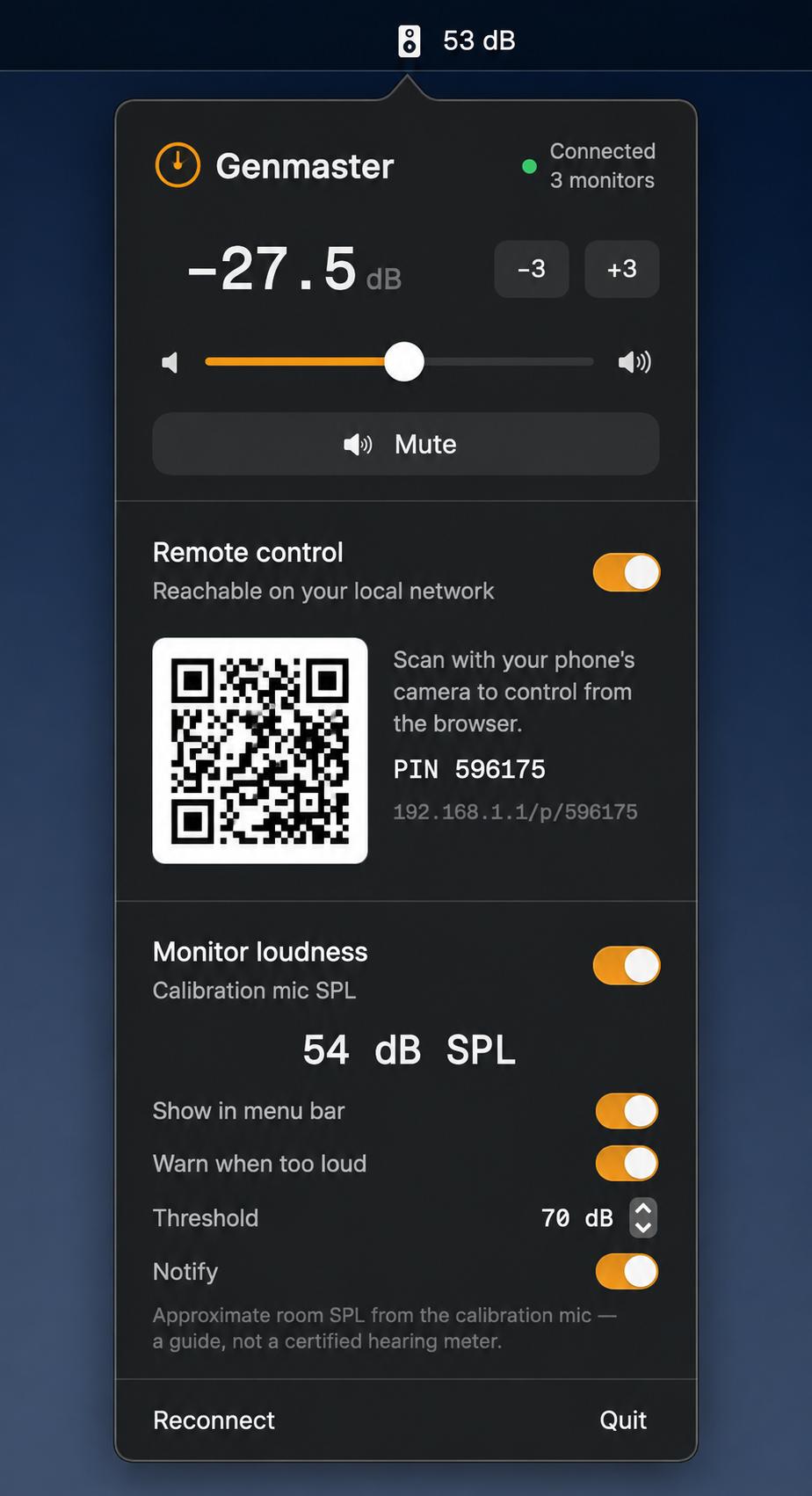
- Tweak monitor volume right from the menu bar — slider, ±3 dB buttons, or just scroll over it — plus one-click mute
- See your room's sound level (dB SPL) live from the calibration mic, with an optional readout in the menu bar and a friendly "hey, it's getting loud" warning at a threshold you pick.
- Control for your phone instead, scan the QR code, and control volume from your phone's browser on the same network (PIN-protected, stays on your LAN).
- Built-in AppleScript, Shortcuts (App Intents) and Siri support, so you can wire volume and mute into your own workflows.
Usage
1. Download: Genmaster
2. Install it (just follow the installer).
3. Open Genmaster from your /Applications folder (GLM Connected).
4. Click the menu-bar icon to open the control panel
A note on mobile
I've also built a proper native iOS/iPadOS app (not just the browser remote you see above), but getting apps published through the App Store is a bit more
time-consuming, so I'm holding off for now. If there's genuine interest, I'm happy to finish that off and get it out there.
IMPORTANT
This is just me, an independent project, not affiliated with the Genelec folks who make the monitors. Use it at your own risk. I can't take responsibility for anything that goes sideways with your hardware.
Would genuinely love to hear what you think: feedback, bugs, new features — all welcome. Hope it's useful to a few of you! 🙏
Comments
Please sign in to leave a comment.