
Here is my system in a nicely treated room:
- 7350A sub
- 8331A monitor pair
- Lynx Hilo DAC feeding the 8331A pair via the monitor outs (balanced TRS to XLR)
- Mac Studio M2
Before using the GLM to calibrate, I could listen at a comfortable volume from the Lynx Hilo at around -55.dB
However, after calibration, I need to listen at -45dB
Moreover, when I am composing music in Logic Pro, I have to listen at about -39dB
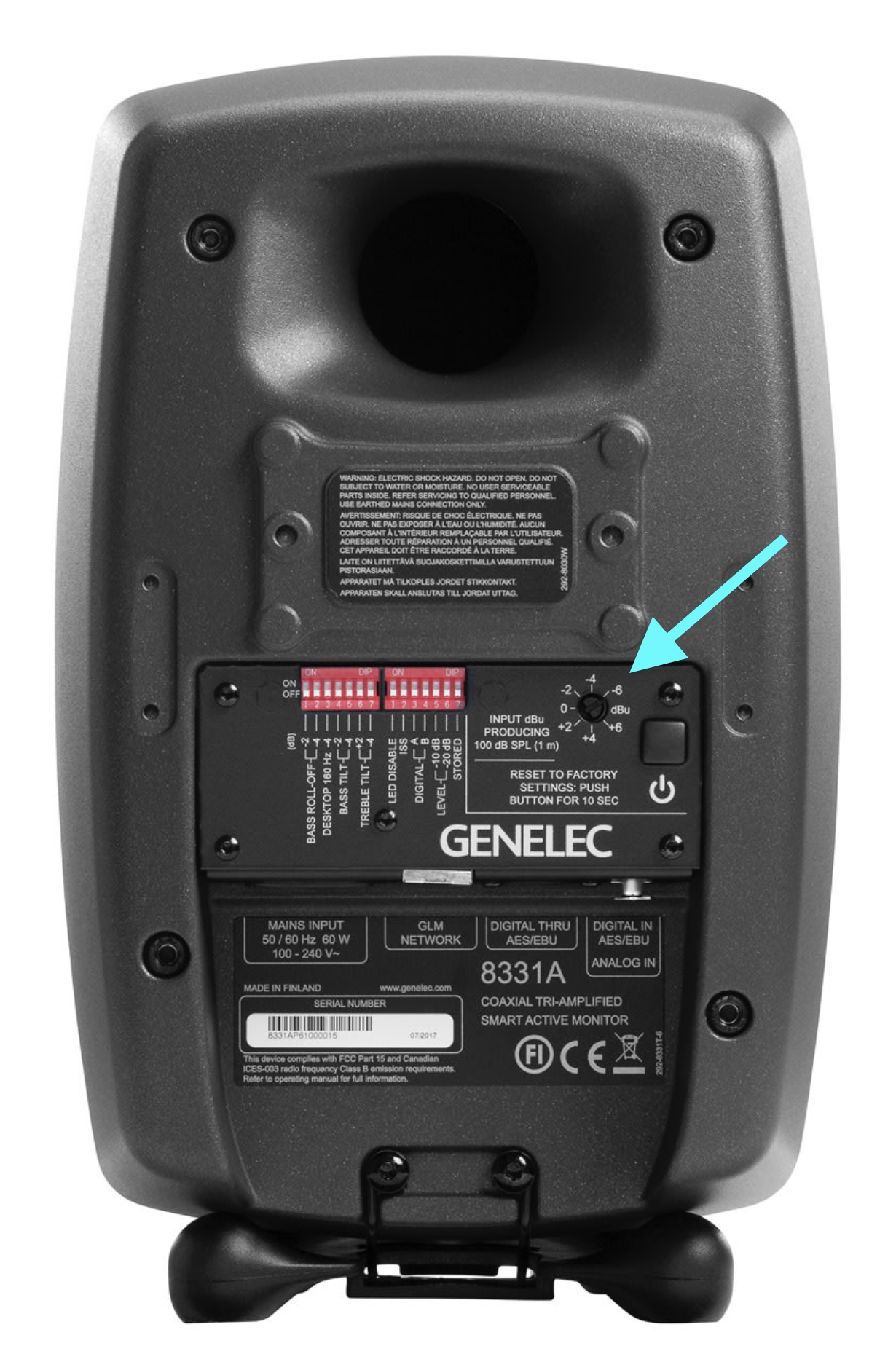
I have tried to adjust the output gain on the back on the 8331A's but turning the knob does absolutely nothing to the volume (neither an increase nor decrease in output volume)
This is my first foray into the Genelec world so I am hoping that someone here might have some insight
Thank you in advance
Here is a photo of the back of the monitor with an arrow pointing to the knob I turned
0
Comments
Hi Douglas! The moment you're using GLM, the sensitivity encoder on the back has no function. You should use the big fader in GLM's main window to adjust the sensitivity to match your source's output level. In general, the calibration will reduce certain specific frequencies to compensate for boosts due to room acoustics. Therefore the perceived loudness might be lower compared to the uncalibrated system. When you're working in your DAW, the material is more dynamic compared to mastered music. To achieve the same loudness, you will then have to increase the volume as well. Greetings!
Hi Marcel - thank you.
I added some furniture into my room and just attempted to calibrate my system. however, I keep getting the following error:
I have an internet connection - GLM pings the monitors and sub and moves through the calibration process but keeps resulting in that same error. Any advice? Thank you again.
Hi Douglas,
Apologies for the delay, I've created a ticket to our support.
Please check your email for further advice to your current issue. Thank you!
Please sign in to leave a comment.